Zoo Stamps

Stamps_Jackson


The three animals that I used, was a Prairie Dog, a turtle and a sloth. Of course. I wanted the people notice the animals first; that’s why the silhouettes adds so much emphasis. They would notice the animals first, then their eyes will drift off to the gradient background and the “Roo Zoo” letters. To get the stamps to be united in some way, was by adding “Roo Zoo”. Plus, the 10¢ was located in the same position in every stamp. The scheme was all black for the silhouettes. Personally, my most successful would have to be the Prairie Dog, because it really does look like a Prairie Dog, even with the negative space.
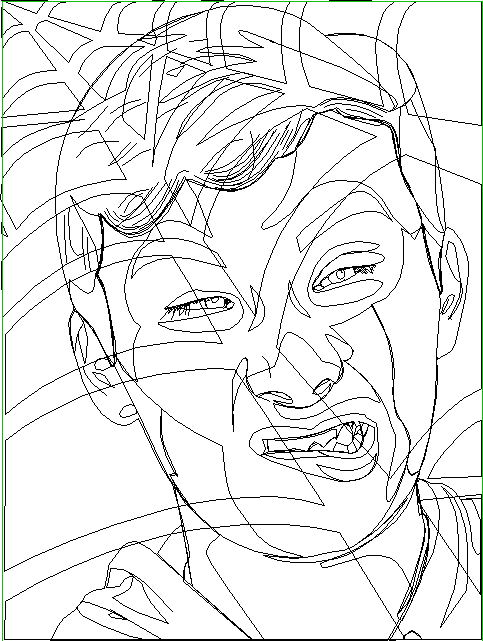
Linear Aspect

Capture

Honestly, I really like my finished product. At first I thought it would be hard to just jump in and do a self-portrait, but actually, it was fairly easy. Probably the hardest part would have to be the hair; that part was very difficult. Other than that, I am really satisfied with my self-portrait. I shall pat myself on the back.

Bases of the Self-Portrait

Jackson Portrait Just Base

At the end of the day, I had a total of fifteen layers. All I can say is, the only tool I used, was the power of the pen tool. For every part of the face, I used a base lay, shadows, and highlights. Just because it makes things easier. If I were to have everything in one layer, it would get too messy, and be hard to arrange things. Multiple layers come in handy.


Vector Self-Portrait

Jackson Portrait

In my self-portrait, I used Adobe Illustrator. The mood that I tried to give was an outrageous one. I see all of these portraits with a serious smile but, I kind of wanted to put a twist on things; so, I decided to use a funny face. I believe that everyone should be able to be themselves, no matter where you’re at. Feel free to be yourself. What about the webs in the background? Well, I’m a HUGE fan of Spiderman, so I thought it would be awesome to interpret some Spiderman in the portrait.